Poster Maker - Flyer Maker
Maxlabs Graphic Design ToolsArt & Design
4.2344.00 Reviews
- Version
- 10.6.6
- Installs
- 5.00M
- Age Rating
- Everyone
Screenshots
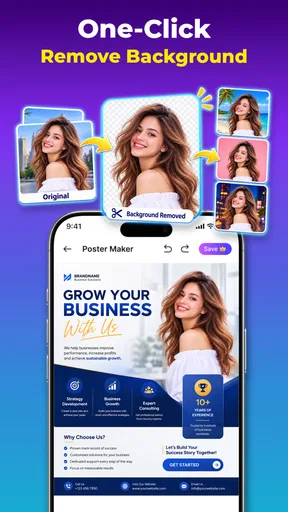
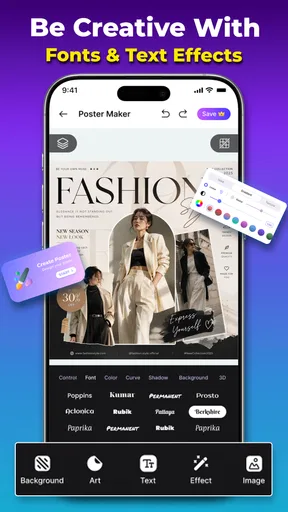
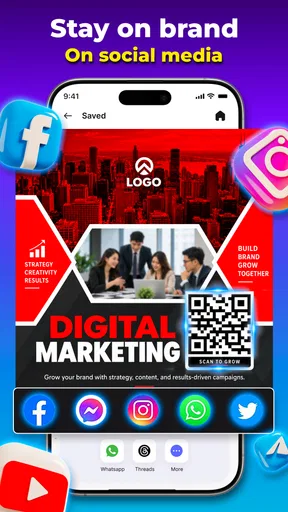
Our Review of Poster Maker - Flyer Maker
 Analysis by Appyee
Some apps are fun to open once, then disappear from my home screen when the immediate project is done. A poster tool has to earn a more lasting place by making repeat jobs easier, not just by offering a busy collection of design options. Poster Maker - Flyer Maker is aimed at quick visual work—posters, banners and flyers—and its appeal is clearest when I need a decent result without starting from a blank canvas.
Why the first few designs feel approachable
The template-led approach is the main reason I would recommend trying it. Choosing a starting layout, replacing its wording and adding an image gives a beginner a path through the blank-page problem. For a birthday gathering, a neighborhood notice or a small event announcement, that can be more useful than opening a general-purpose design tool and deciding every element from scratch.
I would treat the template as a draft rather than a finished design. Before sharing, I check whether the most important information stands out at a glance, whether the wording fits without crowding, and whether the image supports the message instead of competing with it. A quick zoom-out is a useful test: if the date or event name becomes hard to spot at a smaller size, the design needs another pass.
Useful beyond a one-off poster
The app comes from Maxlabs Graphic Design Tools and sits in the art and design category, but its practical value is less about making elaborate artwork than helping with recurring small-format communication. I can see it being handy for a café announcing a special, a club promoting a meeting, or a family organizing a celebration. In those situations, speed and a clear starting layout matter more than having every professional design control available.
It is free to install, and its 4.5 average from around 55,000 ratings suggests many people find it useful. The audience is broad: it is rated for Everyone, and the app has passed five million installs. Those figures are reassuring signs of reach, not proof that it will suit every workflow. In-app purchases range from $4.99 to $49.99 per item, so I would check what is included before relying on a paid asset or option for a project.
A repeatable workflow beats endless tweaking
For ongoing use, I would keep a simple routine: choose a template that already resembles the intended format, settle the headline and essential details first, then adjust imagery, type and color. That order helps prevent a common time sink—polishing decorative details before the message is readable. If I make several notices for the same group, keeping the same visual choices can also make them feel connected without rebuilding the design from zero.
That is where a template app can have an advantage over a full design suite. A larger editor may offer more precise control, but it can also demand more setup and familiarity. Poster Maker is better suited to someone who wants a quick social graphic or a simple printable draft. If I needed exact brand guidelines, detailed alignment control, or a complicated composition, I would choose a more capable design program instead.
Where the convenience can wear thin
Template variety can help me get started, but browsing too long can become its own distraction. I try to choose a layout based on the job—formal, playful, promotional—rather than searching for a perfect design that may not exist. Stickers and image filters can add personality, yet they are easy to overuse; on a small flyer, one clear focal point is often stronger than a stack of decorative extras.
There is also a practical difference between a graphic that looks good on a phone and one that works when printed. I would inspect the final export at its intended size and check that text remains legible before sending it to a printer. The app’s sharing and export tools are convenient for getting a design out, but a quick export should not replace checking the finished file. For exact print specifications or a carefully controlled professional layout, a dedicated desktop workflow is the safer choice.
Will it stay useful after the novelty fades?
My long-term case for keeping it is straightforward: it can be a handy utility when small design tasks recur. The app was released on April 3, 2019, and its current version is 10.4.0-4; it supports Android 7.0 and later. I would not keep it installed just to browse templates, but I would keep it around if I regularly make event graphics, simple promotions or notices and want a faster starting point than a blank page.
The main maintenance is not technical; it is resisting the urge to spend too much time decorating a message that only needs to be clear. The app is most rewarding when I arrive with the key text and image ready, make a few deliberate adjustments, and stop once the design does its job. If your needs are occasional and a basic layout is enough, the free app is worth a look. If you need exacting control, a consistent professional identity across many materials, or intricate artwork, a more advanced editor is likely to be a better long-term fit.
Have you ever found yourself in a pinch, needing a quick and eye-catching poster or flyer? Well, let me introduce you to Poster Maker - Flyer Maker, an app that promises to turn your design woes into a breeze. I took this nifty app for a spin, and here's the lowdown.
Getting Started with Poster Maker - Flyer Maker
First things first, downloading and installing the app was a piece of cake. Available on both Android and iOS, Poster Maker - Flyer Maker is light on resources but heavy on features. Once I fired it up, I was greeted by a slick and intuitive interface. You know how some apps just feel right? This one definitely does. Everything's laid out neatly, and you won't find yourself lost in a maze of options.
Features That Caught My Eye
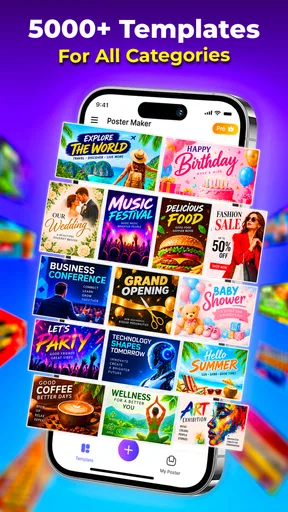
The app is loaded with templates—a godsend for those of us who aren't design wizards. Whether you need a flyer for an upcoming event or a poster to promote your new cafe, there's something here for everyone. I spent a good chunk of time just browsing through the vast library of options.
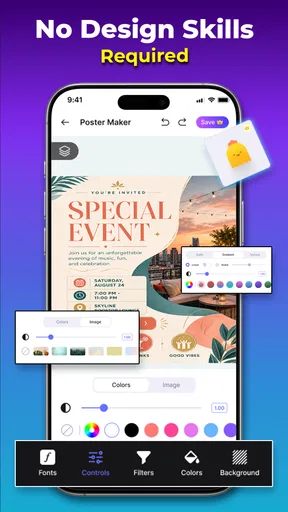
Creating a design is as simple as picking a template, tweaking the text, and adding your own images. The drag-and-drop interface makes customization feel like second nature. I tried my hand at designing a poster for a friend's birthday bash, and I must say, the results were pretty impressive!
Customization Galore
One of the standout features of the app is its customization capabilities. You can change fonts, colors, and even add filters to your images. I particularly enjoyed playing around with the various font styles, each offering a unique vibe to my design. The color palette is extensive, which means you can match your design to your brand or theme effortlessly.
"The customization options make you feel like a pro designer, even if you're just starting out."
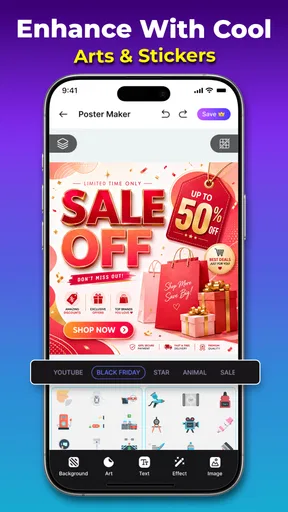
And let’s not forget about the stickers. The app comes with a cool selection of stickers that add that extra flair to your projects. I found myself adding a bunch of these to my designs just for the fun of it.
Performance and Usability
In terms of performance, the app runs smoothly without any hiccups. I tested it on both my Android phone and iPad, and it delivered consistently on both platforms. No crashes, no lags—just seamless operation. The app didn't drain my battery or hog my memory, which is always a plus.
Usability-wise, the app is designed for everyone—from newbies to seasoned designers. The tools are intuitive, and the learning curve is minimal. If you know how to use your smartphone, you'll know how to use this app.
Share and Save with Ease
Once your masterpiece is ready, sharing it is a breeze. The app allows you to export your designs in high resolution, ensuring they look sharp whether you're printing them out or sharing them online. I shared my creations on social media directly from the app, and the response was overwhelmingly positive.
The app also offers cloud storage options, which means you can save your projects and access them from any device. This feature is particularly handy if you're working on designs across multiple devices.
Final Thoughts
All in all, Poster Maker - Flyer Maker is a fantastic tool for anyone looking to create stunning visuals without the fuss. It's user-friendly, packed with features, and delivers professional-quality results. Whether you're a business owner, an event planner, or just someone who loves dabbling in design, this app is worth checking out.
So, next time you need a poster or flyer that stands out, give Poster Maker - Flyer Maker a try. It might just become your go-to app for all things design!
Verdict
Strengths of Poster Maker - Flyer Maker
- Easy-to-use interface for quick design.
- Wide range of templates available.
- Customizable fonts and colors.
- High-resolution output for printing.
- Supports various file formats.
Limitations of Poster Maker - Flyer Maker
- Contains in-app advertisements.
- Limited free features without subscription.
- Occasional crashes reported by users.
- Requires internet for full functionality.
- Subscription can be pricey for casual users.
Other Releases by Maxlabs Graphic Design Tools
View All
AI Logo Maker & Logo Creator
Photography4.6

Invitation Maker & Card Design
Art & Design3.8
Similar Picks in This Category
View All
Canva: AI Photo & Video Editor
Canva4.8

PENUP – Drawing-sharing SNS
Samsung Electronics Co., Ltd.4.5

Crafto
Kutumb App4.6

Sketchbook
Sketchbook4.1

ibis Paint X
ibis inc.4.5

Adobe Express: AI Photo, Video
Adobe4.6
Frequently Asked Questions
What features does Poster Maker - Flyer Maker offer?
Poster Maker - Flyer Maker provides an extensive range of features, including customizable templates, a vast library of graphics and fonts, and advanced editing tools. Users can easily create posters, flyers, and social media graphics. The app also supports layering and offers special effects to enhance your designs.
Is Poster Maker - Flyer Maker user-friendly for beginners?
Yes, the app is designed to be very user-friendly, even for beginners. It offers an intuitive interface with drag-and-drop functionality, making it easy to customize templates. Tutorials and tips are also available to guide new users through the design process, ensuring a smooth experience.
Does the app support multiple languages?
Poster Maker - Flyer Maker supports multiple languages, catering to a global audience. This feature ensures that users from different regions can navigate and utilize the app effectively. Check the app’s settings for the list of available languages and select your preferred language for a tailored experience.
Are there any in-app purchases or subscriptions?
While Poster Maker - Flyer Maker offers a free version with basic features, there are in-app purchases and subscription options available. These provide access to premium templates, exclusive graphics, and additional editing tools. Users can choose a plan that suits their needs, whether it's a one-time purchase or a monthly subscription.
Can I share my designs directly from the app?
Yes, Poster Maker - Flyer Maker allows you to share your designs directly from the app. After creating a poster or flyer, you can easily share it on social media platforms or send it via email. The app supports various file formats, ensuring compatibility with different sharing methods.
